SRW Publisher

Simple page layout,
the way Publisher used to work

SRW Publisher is a straightforward Windows program for flyers, newsletters, price lists, spec sheets and notices. Photos, text boxes, shapes and arrows, laid out on the page where you expect them. No subscription, no account, no learning a whole new program – when all you want is to get on with it.

Windows 10 and 11 · works offline · free 30-day trial

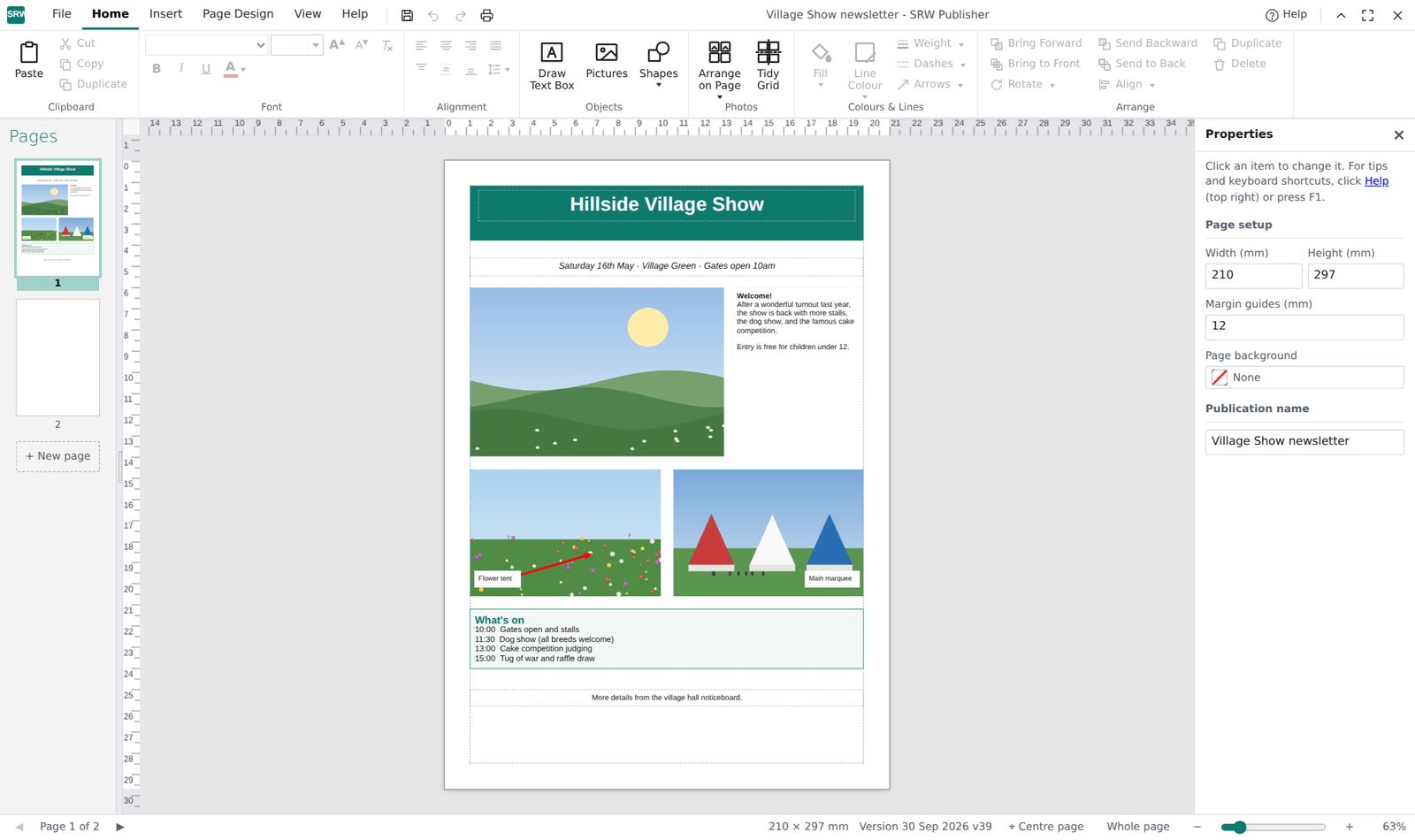
SRW Publisher showing a village show newsletter with photos, text boxes and an arrow on an A4 page, with a ribbon menu along the top

Made by a 30-year Publisher user

I've used Microsoft Publisher for over 30 years to produce brochures, price lists, spec sheets and notices for my business. When Microsoft announced they were retiring it, I didn't want to learn a design package built for professional designers, or pay a monthly subscription for something I use a few times a week.

So I made SRW Publisher: a program that works the way Publisher users expect and does the everyday jobs well. I use it every day myself.

— Stephen

What it does

The everyday things most people use Publisher for, set out the way you remember: tabs and a ribbon along the top, pages down the left, your page in the middle.

Photos

Add several at once, crop them and rotate them. Then select them and one click arranges them all neatly on the page (see below).

Text boxes

Click and type. Fonts, sizes, bold, colours and alignment, and boxes that fit themselves to the text.

Shapes and arrows

Lines, arrows, ovals and boxes, with colour, weight and dashes on the right-click menu.

Guides and snapping

Rulers, drag-out guide lines, and items that snap to each other so things line up.

Pages

A4 and other sizes, as many pages as you need, and a grey area around the page for parking things you haven't placed yet.

Print and PDF

Print straight to your printer, or save a PDF to email. Save your work as an SRW Publisher file (.srwp), with the photos inside, to reopen and edit later.

All your photos, tidied in one click

It's my favourite feature. Add a batch of photos and they wait beside the page, ready to use. Drag a box around them with the mouse to select them, all of them or just the ones you want, then click Tidy Grid. SRW Publisher places the selected photos on the page in a neat grid, with equal spacing between every photo.

No nudging pictures a millimetre at a time, no measuring gaps by eye. It's ideal for a page of vehicle photos, a product sheet, an event round-up or a holiday page like this one.
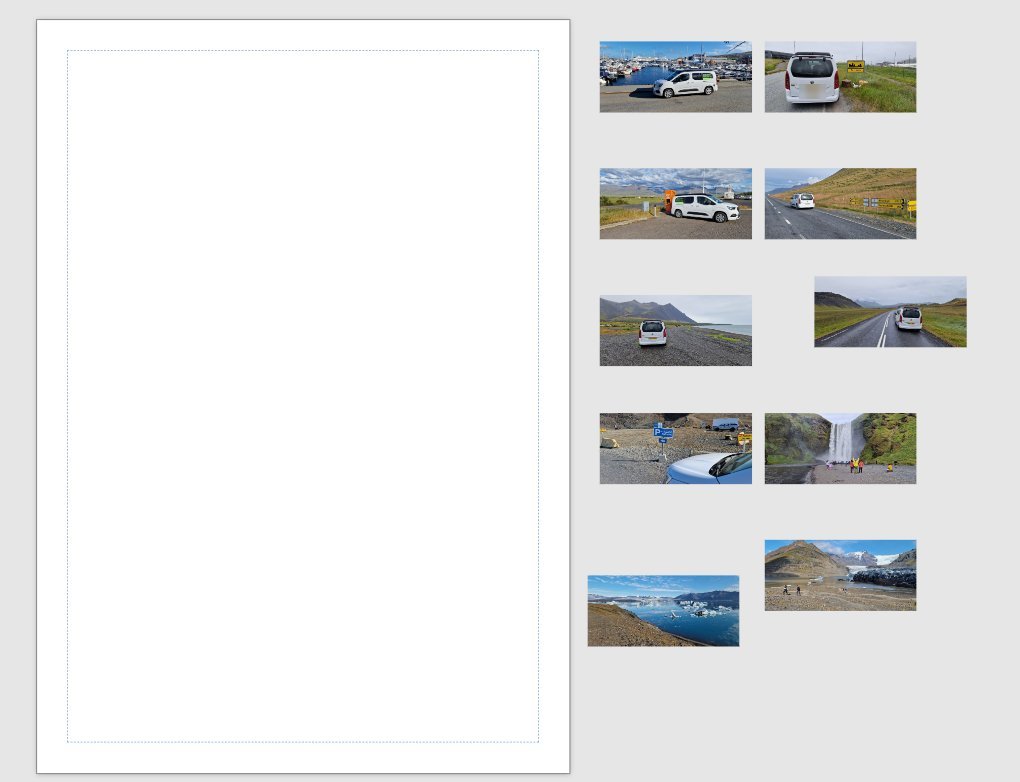
Ten holiday photos of a white van in Iceland, sitting untidily beside an empty A4 page in SRW Publisher
Photos added: they wait beside the page
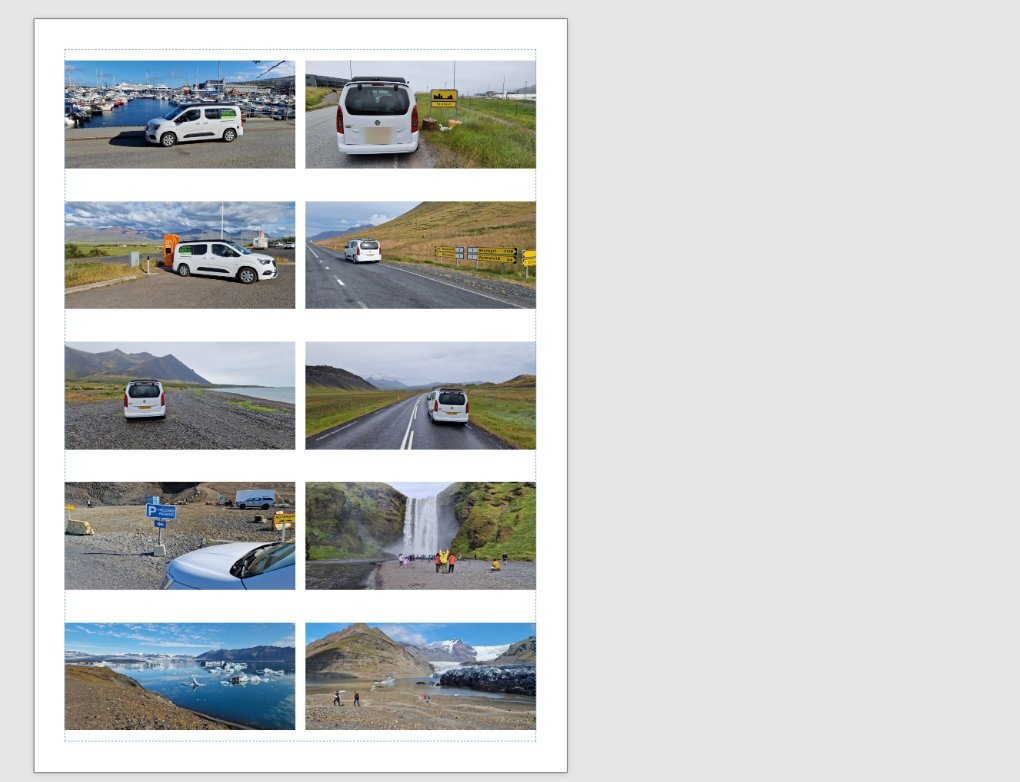
The same ten photos arranged on the A4 page in two neat columns with equal gaps
Selected, then one click of Tidy Grid

Bring your old Publisher documents with you

Microsoft is retiring Publisher. SRW Publisher can't open .pub files directly, but it can turn a PDF back into an editable document, with the photos, text boxes, lines and arrows as separate pieces you can move and change.

  1. While you still have Publisher, open each document and choose File › Export › Create PDF.
  2. In SRW Publisher, choose File › Import PDF (or drag the PDF onto the window).
  3. Save it. It's now an SRW Publisher file you can keep editing.

Do the first step soon, while Publisher still works on your computer. A PDF saved now is your way back into those documents later.

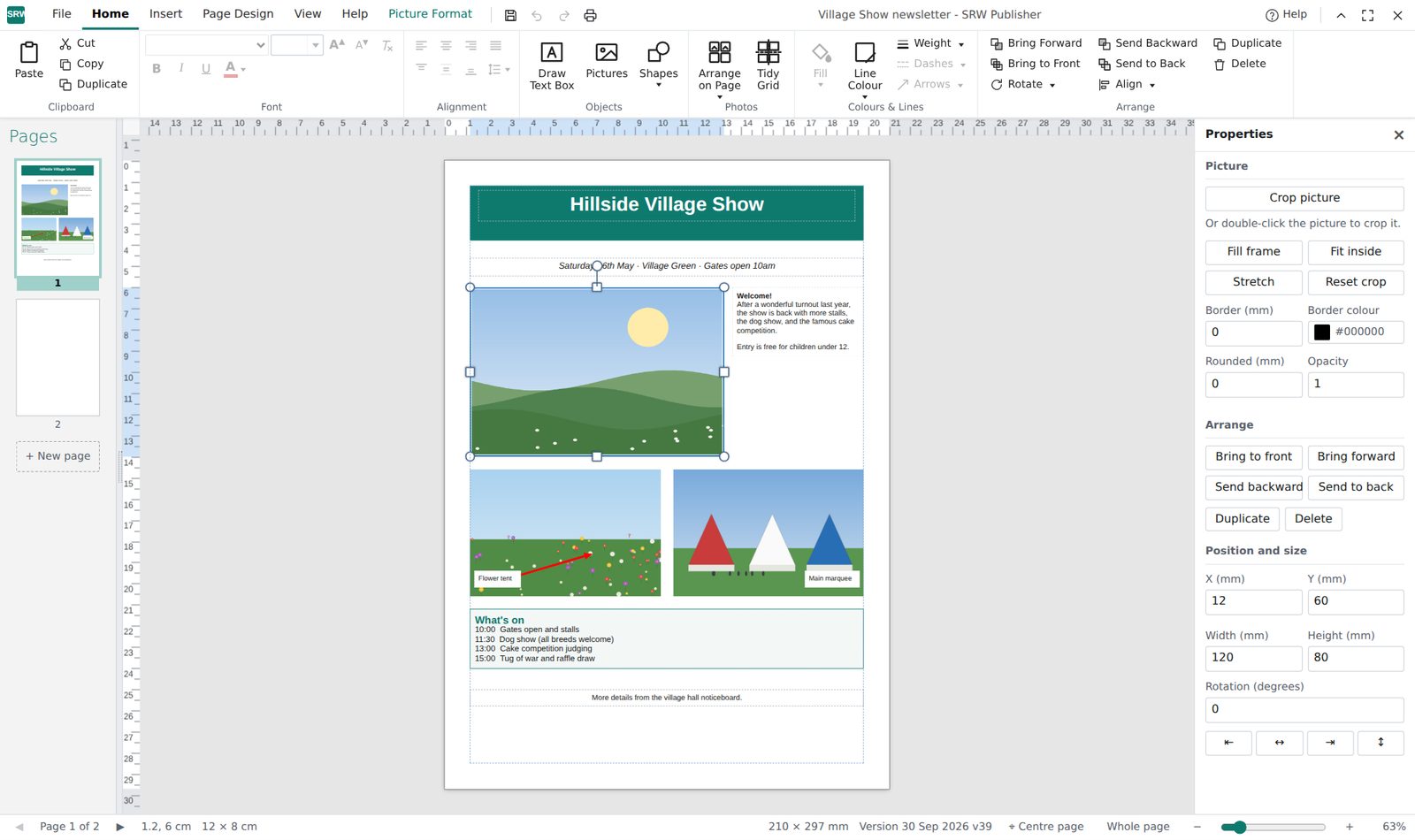
A photo selected in SRW Publisher with handles for resizing and picture options such as crop, border and rounded corners

Price

Try everything free for 30 days. If it suits you, buy it once and it's yours. No subscription, no account, no adverts.

Free trial

30 days

The full program, nothing held back. Your files are yours to keep whatever you decide.

Buy once

£14.99

One payment, including VAT. Updates included. Bought through the Microsoft Store, so you can reinstall it on a new PC.

Questions

Does it need the internet?

No. Once installed it works entirely on your PC. Your documents stay on your computer and nothing is sent anywhere.

What computers does it run on?

Windows 10 and Windows 11. There isn't a Mac version.

Can it open my .pub files?

Not directly. Save each one as a PDF from Publisher (File › Export › Create PDF), then use File › Import PDF in SRW Publisher to turn it back into an editable document.

Is it a subscription?

No. You pay once. Updates arrive automatically through the Microsoft Store at no extra cost.

Can I suggest improvements?

Yes, please do, at stephen@srwpublisher.co.uk. I read every suggestion and the most useful ones go into future updates. I can't promise to reply to each one or add every request, because keeping the program simple matters more than adding everything.

What if something doesn't work?

Email stephen@srwpublisher.co.uk and I'll usually reply within a few days. Refunds for Store purchases are handled by Microsoft.